 Digital Front Desk
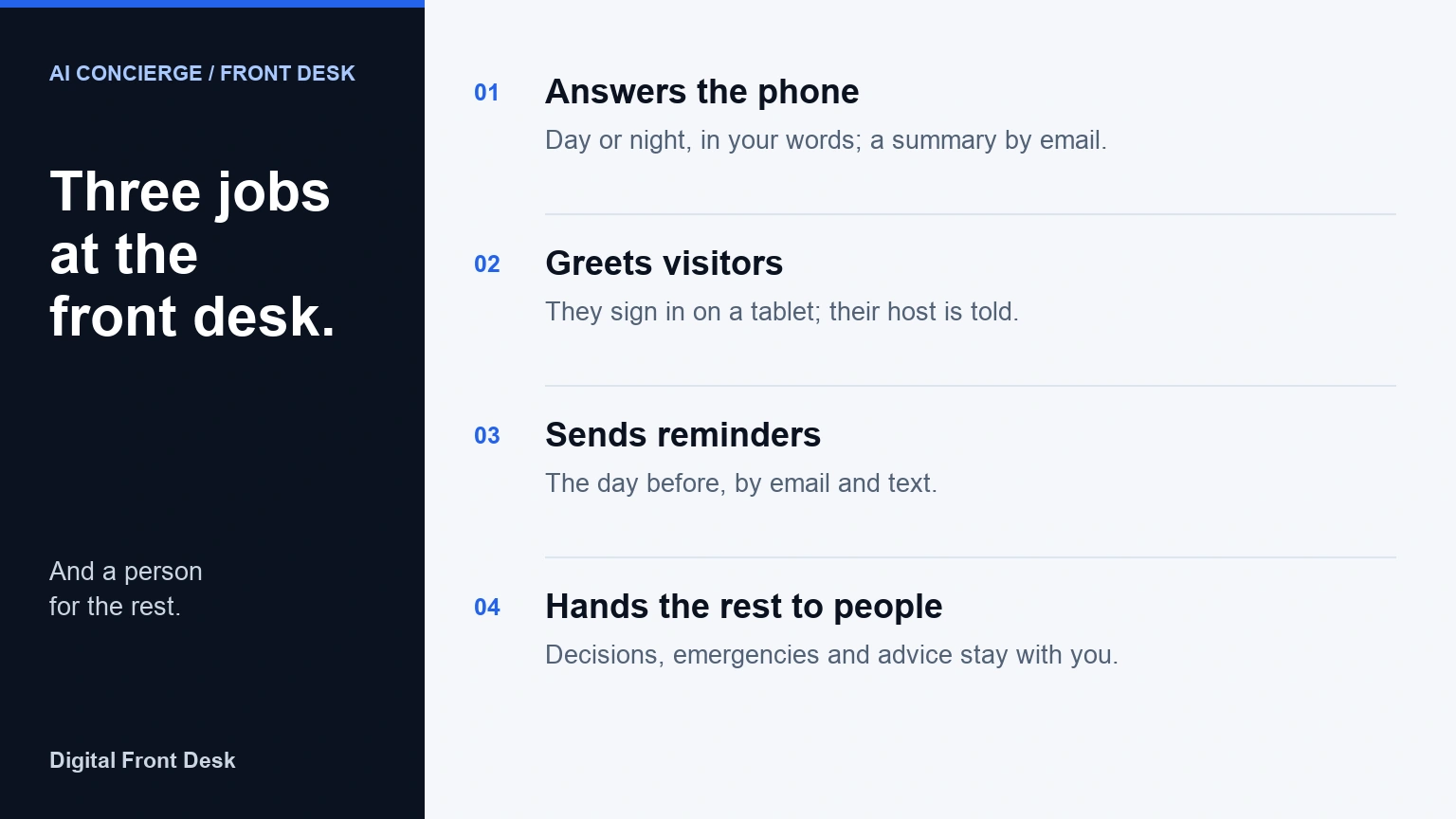
At an office or clinic, an AI concierge is software that does the routine work of the front desk: it answers the phone, greets and signs in visitors, and sends reminders, then hands whatever needs judgment to your team. Elsewhere the name can mean a hotel's guest assistant.
Key takeaways
- At an office or clinic, an AI concierge can do three jobs: answer the phone, sign visitors in and send reminders.
- The name means different things from one supplier to the next, so ask which jobs a product does, and whether it books or transfers calls.
- It is good at the questions that repeat, at any hour; emergencies, decisions and advice stay with people.
- In Canada your business answers for what callers and visitors are told: say it is automated, say if calls are recorded, and collect only what you need.
- Digital Front Desk does all three jobs; it does not book appointments on the phone or transfer calls.
“AI concierge” is a new name for an old job: the person at the front desk who greets whoever walks in, answers the phone and makes sure nobody is forgotten. Hotels made the word popular, and software for salons, spas and apartment buildings uses it too, so the same two words can describe very different products.
This guide is for small Canadian offices and clinics. It explains what an AI concierge does at a front desk, how it differs from an AI receptionist and an answering service, what it does well and where a person is still better, what Canadian privacy law expects of you, what it costs, and how to set one up so that the people who call and visit are well looked after.
AI at work is no longer unusual. In the second quarter of 2026, 19.2% of Canadian businesses said they had used AI to produce goods or deliver services in the previous 12 months, three times the share two years earlier, and virtual agents or chatbots were the third most common use among them, at 28.2% (Statistics Canada).
What an AI concierge does at a front desk
Take away the branding and a front desk does the same few things all day. An AI concierge takes over the repetitive part of each one:
- It answers the phone. Every call is picked up, including the ones that come in while your team is with a client, at lunch or after closing. It answers the routine questions (your hours, where to park, whether you take new clients) from what you have written, and takes a message: the caller's name, a number to call back and the reason they rang. You read a summary instead of listening to voicemail.
- It greets and signs in visitors. A visitor signs in on a tablet at the door, the person they came to see is told, and reception can see who is in the building.
- It sends reminders. A reminder the day before an appointment, so fewer people forget.
- In some products, it books. Some AI concierges put appointments straight into your calendar; others take a request and leave the booking to your team. Of all the differences between products sold under the same name, this is the one to pin down first.
What it should not do is decide things. A useful way to picture it: the AI concierge handles the first minute of every call and every arrival, and your team handles whatever needs judgment.
Why “AI concierge” means different things
There is no settled definition of “AI concierge”, so the meaning comes from the old word. A concierge receives and helps the people who come into a building, and in an apartment or office building the duties are close to a receptionist's (Wikipedia); one standard definition of the apartment-lobby concierge includes screening visitors and accepting deliveries (Dictionary.com). Software companies have borrowed the word for at least four different products:
- Hotels and short-term rentals. An assistant that answers guests' questions and requests at any hour, from check-in times to restaurant suggestions, usually by text or chat.
- Apartment and condo buildings. A “virtual concierge” or “virtual doorman” is often a team of people watching the lobby by video from a remote centre, not AI at all.
- Salon, spa and fitness software. Mindbody's AI Concierge follows up on missed calls and answers client questions by text and web chat, and books, reschedules and cancels appointments. Fresha's AI Concierge is a phone receptionist that books, reschedules and cancels appointments, and takes a message or transfers the call when needed.
- Offices and clinics. The front desk: the phone, visitors at the door and reminders. That is the meaning this guide uses.
Two other uses can muddle a search. “Virtual concierge” is also a job title, for people who handle requests remotely. And in health care, “concierge medicine” means patients pay a doctor a membership fee for extra access, which has nothing to do with front-desk software.
So when a supplier says “AI concierge”, ask three things: which front-desk jobs it does, on which channels (the phone, text messages, a chat window, a tablet at the door), and what it hands to a person.
AI concierge, AI receptionist or answering service?
The names overlap and suppliers use them loosely. This is how the options usually differ:
| Option | Who answers | What it covers | Books or puts calls through? | Usually charged |
|---|---|---|---|---|
| AI concierge | Software | Varies: the phone, text or chat, and sometimes visitors at the door and reminders | Some book or transfer; many take a request or a message | A monthly fee, often with usage |
| AI receptionist | Software | The phone | Some book or transfer; many take a message | A monthly fee, often with usage |
| Answering service | Call-centre agents | The phone, from a script | Takes a message; some book from a script | Per call or per minute |
| Live virtual receptionist | A remote person | The phone | Usually both | Per minute or by the hour |
| Visitor check-in kiosk | The visitor, on a screen | Visitors at the door | Neither: it tells the host | A monthly fee per location |
In practice, “AI receptionist” usually means the phone. “AI concierge” has no settled meaning: for some suppliers, us included, it is the whole front desk; for others it is a phone or text assistant. Compare the jobs, not the label.
What it does well, and where a person is better
An AI concierge earns its place on the work that repeats. It is good at:
- The same few questions, all day. Hours, address, parking, which services you offer, whether you are taking new clients.
- The calls nobody can take. During appointments, over lunch and after closing, when the alternative is voicemail.
- Treating every arrival the same way. Every visitor is greeted, every host is told, and nothing depends on who happens to be at the desk.
- Not forgetting. Reminders go out the day before whether or not the front desk had a busy morning.
- Languages. It can answer in French or Spanish when your team cannot.
A person is still better, and should stay easy to reach, for:
- Emergencies. Software should tell a caller to hang up and call 911, not try to help.
- Upset callers and complaints. People want to be heard by somebody who can do something about it.
- Anything that needs a decision. Fitting somebody in, a refund, an exception to your policy.
- Advice. Clinical, legal and financial questions belong with your professionals. Software that sounds confident can still be wrong.
- People who cannot or will not use it. Somebody who cannot read the screen, or who just wants a person.
A good set-up does both: the AI concierge takes the routine minute, and every caller and visitor can see how to reach a person.
Where an AI concierge helps most
The offices that gain most are the ones where the people at the front desk are also doing something else:
- Dental and medical clinics. The phone rings while the front desk is checking a patient in. An AI concierge answers the call, and patients sign themselves in without writing their name on a sheet everyone can read.
- Therapists and counsellors. Often nobody is at the desk at all, and calls arrive mid-session. Clients check in on a screen that never shows another client's name, and the therapist reads the call summaries between sessions.
- Law firms and accounting offices. Calls arrive while everyone is in meetings, and visitors need to be announced to the right person without a receptionist walking the halls.
- Trades and property managers. Calls come in while the team is on site. The routine ones get answers, and you decide what it tells a caller with an emergency.
- Offices without a receptionist. A tablet by the door signs visitors in and tells their host, so nobody wanders the hallway looking for the person they came to see.
What Canadian rules expect of you
Canada has no law written for AI assistants like these. The federal Artificial Intelligence and Data Act died with Bill C-27 in January 2025, and the privacy bill introduced in June 2026, Bill C-36, is still before the House of Commons. The rules that apply are the ones you already follow for personal information, and they put the responsibility on your business, not on the software. None of this is legal advice; it is a list of things to check.
- Tell people they are talking to software. We found no Canadian statute that requires an incoming call to say so, but federal guidance points one way. Canada's voluntary code of conduct on generative AI asks that systems that could be mistaken for humans be “clearly and prominently identified as AI systems” (ISED), and the Privacy Commissioner's principles ask that people know they are interacting with a generative AI tool (OPC). Callers also want a way to a person: in Gartner's 2024 survey of customers, the most common worry about AI in customer service was that it would make a person harder to reach.
- If you record calls, say so before the conversation goes on. The Privacy Commissioner's guidance is that a business must tell the caller the call is being recorded, state why and obtain consent, and that customers must be given a choice about whether their voice is recorded (OPC, recording of customer telephone calls). Remember that a written transcript is a record of the call as well.
- Collect only what you need, and know where it goes. PIPEDA's principles include limiting what you collect to what your purpose needs (OPC overview). Phone AI is often processed outside Canada; you stay responsible for information a supplier processes for you, and the Privacy Commissioner expects you to tell people it may be processed in another country (OPC guidelines on processing across borders).
- Quebec. Acquiring a new system that handles personal information calls for a privacy impact assessment, and so does communicating personal information outside Quebec, which also needs a written agreement; Quebec's privacy regulator counts other provinces as outside Quebec (Act respecting the protection of personal information in the private sector, ss. 3.3, 8 and 17), and people must be told when you collect their information that it could leave Quebec. They must also be told when a decision about them was made by software alone (s. 12.1); taking a message is unlikely to count as one. And consumers have the right to be informed and served in French (Charter of the French language, s. 50.2): the Office québécois de la langue française counts phone service and voice messaging among the services covered, and asks that a business's phone greeting be in French first.
- Health information. Clinics have their own laws, such as Ontario's PHIPA and Alberta's Health Information Act, and each sets rules for suppliers that handle health information. In September 2026, Canada's privacy regulators adopted a joint resolution on AI in health that asks providers to collect only what an AI system needs and to keep a person checking what it produces. Keep health details out of the phone and the lobby, and ask your college or privacy adviser before switching anything on.
- Reminders. Canada's anti-spam law covers commercial electronic messages. A reminder that is only about an appointment the client agreed to may not be one, or may not need consent, but it should still name your business and give a way to stop. Our guide to appointment reminders and privacy goes through it.
- You answer for what it says. In Moffatt v. Air Canada, 2024 BCCRT 149, British Columbia's Civil Resolution Tribunal held Air Canada responsible when the chatbot on its website gave a customer wrong information about bereavement fares: it “makes no difference whether the information comes from a static page or a chatbot”. The order came to $812.02 in all, but the lesson is bigger than the sum: brief your AI concierge from your real policies, and tell it to take a message rather than guess.
What an AI concierge costs
Prices are built from a few parts, and suppliers bundle them differently, so compare what is included rather than the headline figure:
- A monthly fee for the service, often with an allowance of calls or minutes.
- Usage beyond the allowance, which grows with how busy your line is.
- The phone number: a new one, or the work of forwarding your own.
- Text messages, if summaries, alerts or reminders go out by text.
- A tablet and a stand for visitor check-in, if you do not already have one.
- Set-up: writing the greeting and the briefing. Some suppliers do it with you.
For scale, the median wage for a receptionist in Canada is $21.00 an hour, before payroll costs and benefits (Job Bank, wages updated 19 November 2025). That is not the right comparison, though: a receptionist does far more than answer the phone. The fair comparison is with the calls and arrivals nobody handles today.
Our guide to what an AI receptionist costs in Canada takes a phone quote apart line by line. At Digital Front Desk, visitor check-in starts at $69 CAD a month, and the phone assistant is quoted for your call volume.
Questions to ask before you choose one
Because the name means different things, the questions matter more than the label. Get the answers in writing:
- Which jobs does it do? The phone, visitors at the door, reminders, booking, or a mix.
- Does it book or reschedule appointments itself, and can it transfer a call to a person? If not, what does the caller get instead, and how quickly does your team find out?
- What does it say when it does not know? Ask to hear it. A good one admits it and takes a message; a bad one guesses.
- How do callers and visitors reach a person?
- Can it speak French, or the other languages your clients speak?
- Where is the data stored and where is it processed, including call audio, transcripts and text messages, and by which companies?
- Are calls recorded, who decides, and how long are recordings and transcripts kept?
- What does the price include, and what happens to the bill in a busy month?
- Can you try it on your own calls and your own front door before you commit, and how do you leave?
How to set one up well
Most of the quality of an AI concierge comes from what you tell it. Before you switch it on:
- Write the greeting. Say who the caller has reached and that they are talking to an automated assistant. If calls are recorded, say so at the start, and why.
- Brief it like a new receptionist. Your hours, your address and parking, the services you offer and the ones you do not, and what to say when somebody asks about price.
- Write down what it must not do. No clinical, legal or financial advice; no promises about appointments it cannot make; no guessing.
- Decide what it says in an emergency. For most offices: hang up and call 911. For a clinic or therapy practice, add the 9-8-8 suicide crisis helpline, which answers calls and texts at any hour (988.ca). For trades and property managers, also your own emergency number, if you have one.
- Choose who hears what. Who gets the call summaries, and who is told when a visitor arrives for them.
- Ask only for what you need at the door: usually a name and who the visitor is seeing. A reason for a clinic visit belongs in the clinical record, not on a lobby tablet.
- Test it before your clients do. Call it yourself with the ten questions you hear most, then with an awkward one, a request for a person, and a question in French.
- Read the first two weeks of summaries. Every call that went badly points to a sentence missing from your briefing.
Digital Front Desk as an AI concierge
Digital Front Desk is front-desk software for small Canadian offices, and it does the three concierge jobs. We make it, so weigh this section accordingly.
- The phone. It answers your number day or night with a greeting you write, from your opening hours and what you have written about your business. It takes a message and emails you a summary of each call, apart from calls it flags as spam and ones too short to summarise. A line can be set to speak French, Spanish or another language and still follows a caller who switches. It does not book appointments or transfer calls: your team acts on the summary. See the virtual receptionist.
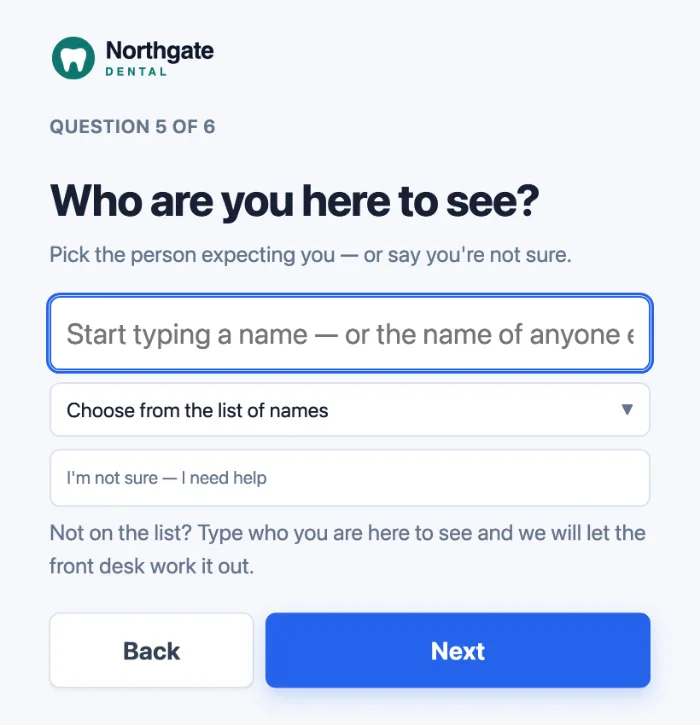
- Visitors. Visitors sign themselves in on a tablet you already own, one question at a time, with no app to install. The person they came to see gets a text, an email or both, as set for them. Staff sign in and out from their own phones, reception sees who is in the building, and the visitor log can be searched and downloaded. See visitor check-in, or try the check-in screen without signing up.
- Reminders. Clients get a reminder for each confirmed appointment, usually the day before: by email if you have their address, and by text when your number and their mobile are both Canadian, unless they have only ever phoned you and have not agreed to texts. Reminders are written in the client's language (English, French or Spanish), go out between 9 a.m. and 8 p.m. in your time zone, and a reply of STOP ends the texts. See appointment reminders.
Your data is stored in Canada, on Microsoft Azure in the Canada Central region, with one exception: when call recording is on, the audio stays with our phone provider in the United States. AI features are processed in the United States, and calls and text messages are carried by Twilio there; the subprocessors page lists every provider, and our call recording and AI disclosure page explains what a caller is told and what is kept.
Questions about AI concierges
Is an AI concierge the same as an AI receptionist?
Often. “AI receptionist” usually means software that answers the phone. “AI concierge” can mean the same thing, a text or chat assistant, or, as in this guide, the whole front desk: the phone, visitors at the door and reminders. Neither name is a standard, so compare the jobs a product does rather than what it is called.
Can an AI concierge book appointments?
Some can, and many take a request for your team to confirm instead. Ask each supplier in writing. Ours does not book on the phone; your clients can pick a time on your online booking page, which arrives as a request or is confirmed automatically if you switch that on.
Will an AI concierge replace my receptionist?
For most small offices, no. It takes the calls and arrivals your receptionist cannot get to, so they can give their time to the people in front of them. Where there is no receptionist at all, it covers the front door and the phone so the team is not interrupted.
Do I have to tell callers they are talking to an AI?
We found no Canadian law that says so in as many words for incoming calls, but federal guidance asks for it. If you record calls, tell callers before the conversation goes on, so that carrying on is informed consent. One sentence in your greeting does both.
Is an AI concierge safe for a clinic?
It can be, if it collects little, gives no clinical advice, sends emergencies to 911 and keeps health details off the phone and the lobby tablet. Check where it stores and processes data against your province's health privacy law, and ask your college or privacy adviser if you are unsure.
How much does an AI concierge cost?
It depends on how many calls you get and which jobs you switch on. Expect a monthly fee, usage on busy lines, a phone number, text messages and, for check-in, a tablet. Our guide to what an AI receptionist costs in Canada breaks a quote down.
Can an AI concierge speak French?
Many can, but check whether a line can be set to always answer in French, which matters in Quebec, and whether it follows a caller who switches language. Ours can be set to French, and the check-in screen can be in French too.
Do visitors need to download an app to check in?
Not with every product. Ours, like many, runs the check-in screen in a tablet's web browser, so visitors use the screen at the door and install nothing, and the person they came to see is told by text or email.
This article is general information about choosing front-desk software, not legal advice. Law references, statistics and other suppliers' descriptions were checked on 9 November 2026.