 Digital Front Desk
Contractor sign-in sheet
A sign-in sheet for contractors arriving at a plant or warehouse.
Not legal advice. Last checked 7 October 2026 against OSHA 29 CFR 1910.38(c).
For construction companies and site offices
Subs, drivers and inspectors check in on a tablet at your site office. They agree to your safety rules. The person they came to see gets a text. The office sees who is on site.
Rather look on your own? Try it free. Not ready? Download the free contractor sign-in sheet.
How it works
One question per screen, and the questions are yours. Name, phone, company. Why they are here: site work, a delivery, a meeting, an inspection. Then who they came to see. Any tablet or computer with a browser works. Nothing to install.
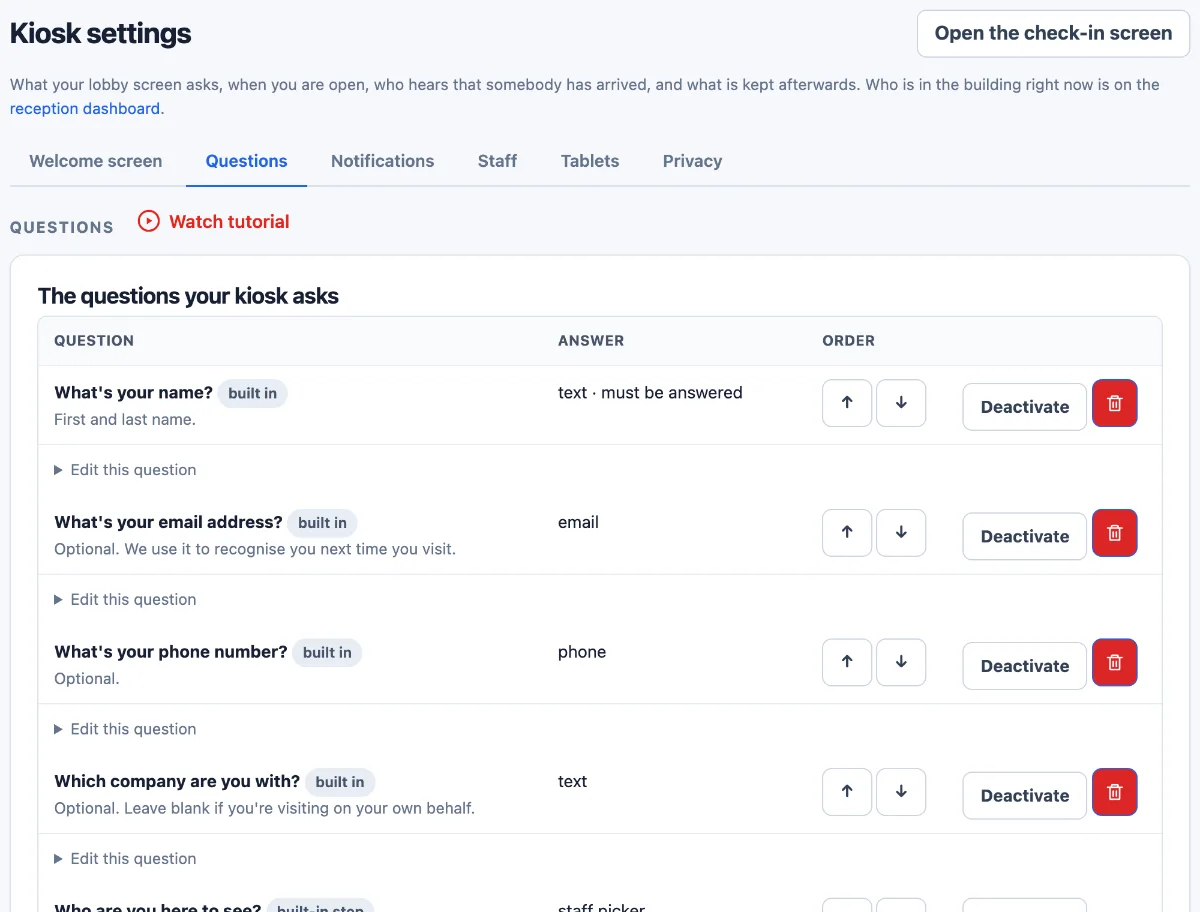
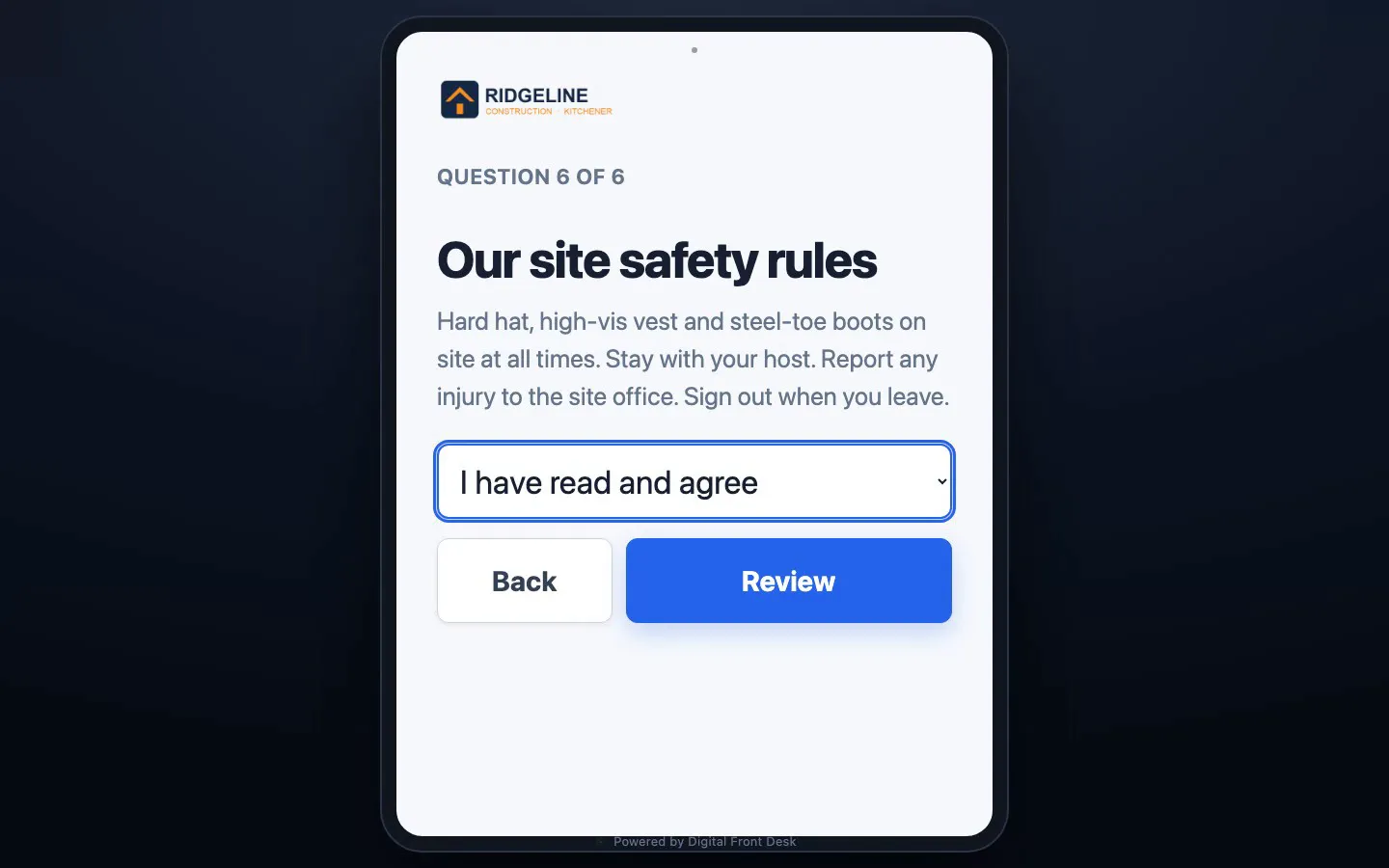
Put your rules on one screen with a single answer to tap, such as I have read and agree. Mark it as required and nobody finishes checking in without it. The answer is kept with the visit, and staff download it with the visitor log. Then they get a badge number.
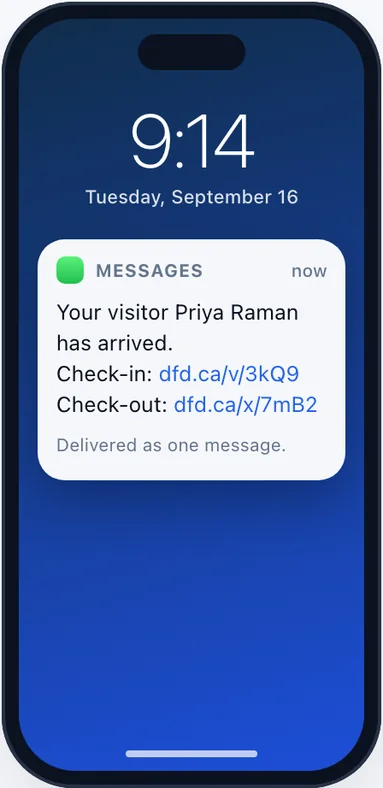
When they pick someone you have set up for alerts, that person gets a text or an email. One link says they have it. Another closes the visit when it is over. A message can be delayed or fail, so keep a way to phone them.
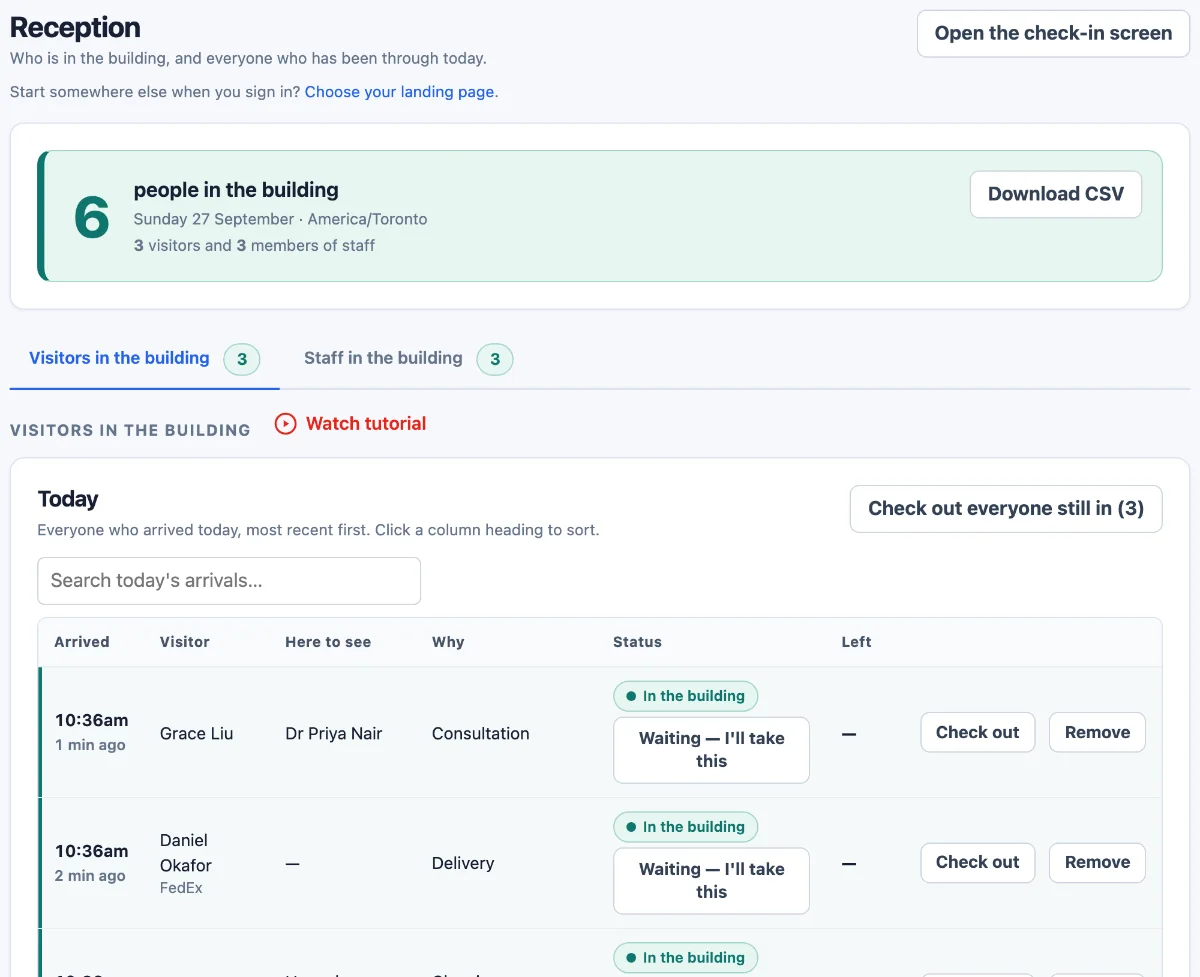
Reception shows everyone signed in now: who they are, their company, who they are with and when they arrived. Staff can sign people out there. Staff signed in to your account can open it on a phone too, with a connection.
Your crew, and the fire drill
Put a QR poster at the door. Your crew scans it with their own phone to sign in and out. They show up on the same list as your visitors.
Scan the poster, pick their name the first time, then one tap to sign in or out. No app, no password. They need to be on your staff list. Included in every plan.
The roll-call page lists visitors still checked in, then staff signed in, with a count of each. It prints. You can give a warden a login that opens that page and nothing else.
It only knows who signed in. It cannot tell you where anyone is, and someone who walked past the tablet is not on it. Keep your roll call. The list tells you who else to look for.
Part of one front desk. The same account can answer the office line when nobody can get to it, and a sub who called ahead can already be on your contact list when they check in. Quotes and invoices sit on that same record. How the pieces fit.
An honest note on the rules
Ontario's Occupational Health and Safety Act does not require a visitor log as such. Signing people in is still good practice. It tells your office who is on site, who they came to see and whether they agreed to your rules.
Your duties come from your province's health and safety rules and your own site procedures. Check with your provincial regulator or your safety advisor. Not legal advice.
Free templates
Word, Excel and PDF. Free, no sign-up. Use them as they are, or keep one beside the tablet for the day it is charging.
A sign-in sheet for contractors arriving at a plant or warehouse.
Not legal advice. Last checked 7 October 2026 against OSHA 29 CFR 1910.38(c).
A visitor log for a single-site plant or warehouse.
Not legal advice. Last checked 7 October 2026 against OSHA 29 CFR 1910.38(c).
A checklist for the site orientation a contractor gets before starting work.
Not legal advice. Last checked 7 October 2026 against OSHA 29 CFR 1910.38(c).
A roll-call sheet for the assembly point after an evacuation.
Not legal advice. Last checked 7 October 2026 against OSHA 29 CFR 1910.38(c).
Pricing
In Canadian dollars. Your own questions, such as the safety-rules question, start at Practice.
A single reception desk.
CAD per month, billed monthly
$55 a month billed annually
A clinic, firm or office with a full team.
CAD per month, billed monthly
$96 a month billed annually
A care home, campus or multi-building site.
CAD per month, billed monthly
$319 a month billed annually
Prices in CAD, per site, per month. Prices exclude tax.
One site, on a paid plan. Ask for one and we reply within one working day to agree the details.
Questions
Straight answers, including the things the tablet does not do.
Yes, as your own question, which starts at Practice. Put your rules in the question and its hint, give it one answer to tap and mark it as required. Nobody finishes checking in without it. The rules get a sentence or two on screen, so keep the full rules posted at the door.
Staff download the answers with the visitor log, as a CSV file with a column for each question. The tablet records a tapped answer, not a signature.
No. It does not collect documents, check certificates or track expiry dates. You can ask a sub to confirm their clearance and insurance are on file with you, and that answer goes in the visitor log. Checking stays with your people.
Yes, if you set it up. When a driver taps delivery, the tablet can skip the list of people and finish once they give their name. The office can be told about the delivery during the opening hours you enter. Outside those hours nothing is sent, and the tablet shows your hours and phone number.
No. The tablet shows a badge number at the end of check-in, and the number is in the visitor log. Write it on a pass if you use them. Photos are off unless you switch them on.
The tablet is for checking in. Staff sign people out from Reception, and the person who got the arrival text can close the visit from it. Anything still open from an earlier day closes overnight, marked as closed automatically, with no departure time made up. Until then, someone who left by the gate still shows as on site.
Yes. Set the check-in screen to English, French or Spanish in the kiosk settings. Its buttons and built-in screens follow. The questions are yours, so write them in the language you want.
Our application and its database run on Microsoft Azure in the Canada Central region. Arrival texts are carried by Twilio in the United States, and arrival emails are sent through Zoho Mail in Canada. If you switch on ID scanning, that reading is done by Azure OpenAI in Microsoft's US data zone. The sub-processors page lists who receives what, and where.
Staff signed in to your account. You decide what the tablet asks and how long what people typed is kept: keep it, clear it after a number of days you set, or clear it once the visit is over. Setting your own retention rules starts at Practice.
Staff can erase a person's sign-in from the visitor log when asked; their name and contact details are cleared once no other visit of theirs is left on it.
A visitor who gives a phone number or email is also added to your account's contacts list, unless you switch that off on the Privacy tab. Neither your retention setting nor erasing a sign-in clears the contacts list.
A tablet or computer with a web browser, power and a connection. Nothing to install: the check-in screen is a web page. Visitors do not need a smartphone. You supply the tablet; we supply the software.
That depends on the tablet and where you put it. The screens are built for someone standing: one question per screen, big boxes, big buttons. Many work gloves do not work on a touchscreen, so leave room to take one off, or keep a stylus beside it. Check the tablet maker's temperature range against your winters and keep it somewhere heated and covered.
The tablet needs a connection to check anyone in. It does not store check-ins and send them later. If the connection drops, use paper until it is back. Keep the free contractor sign-in sheet handy for that day.
The price is per site. Each tablet joins with its own one-time code, and the tablets on one account feed one list, which does not record which tablet someone used. Tell us how many sites you run on the demo form and we will go through the set-up with you.
Add your people one at a time or upload a spreadsheet, write your questions, and connect the tablet with a one-time code. We walk through it with you on the demo call. You can try it free on your own, or request a paid pilot and we set it up with you.
One monthly price per site, in Canadian dollars before tax, set by the plan that fits your staff count: Starter for up to 20 staff, Practice for up to 50 staff and Campus for up to 500 staff. Visitors and subs are not counted. The prices are in the pricing section. Trying it free needs no card, and asking for a pilot bills nothing.
Book a demo or a paid pilot
Tell us about your company. We will show you the check-in, the host's text and the office list. Asking for a paid pilot? Tell us who will own it and when you would like to start.
Rather look on your own first? Try it free.